Guide: OmniDiff v0.3.0 Install + Git Setup
This guide is a companion to the video Guide: OmniDiff v0.3.0 Install + Git Setup, which is the starting point for everything below. The video installs OmniDiff 0.3.0 on Ubuntu 24.04 from the official release package and wires it into git. Added research comes only from the official project sources, and the two are kept visibly separate throughout.
There is a Prag research folder for this video at Guides/2026-11-02_omnidiff-ubuntu-24.04, and this guide is grounded in its notes plus the official docs at https://github.com/ivankovic/omnidiff and https://github.com/ivankovic/omnidiff/releases.
A note on sourcing: a subtitle fetch for the video was attempted and failed with an HTTP 429 rate-limit error, so the video description serves as the transcript-equivalent here. Anything the description does not spell out is treated as unverified rather than assumed.
In the video: what OmniDiff is and what you need
In the video: OmniDiff 0.3.0 is presented as a syntax-aware git difftool that reads code structure, not just changed lines. The release is dated November 1, and the install path is the official 64-bit .deb plus a three-command git wiring plus a headless-diff verification.
In the video: the stated prerequisites are 64-bit Ubuntu 22.04 or newer, with git, curl, and sudo available. The steps run in order: download the official v0.3.0 amd64 .deb from GitHub, install with apt, confirm omnidiff 0.3.0, write three git config entries, and verify with headless mode.
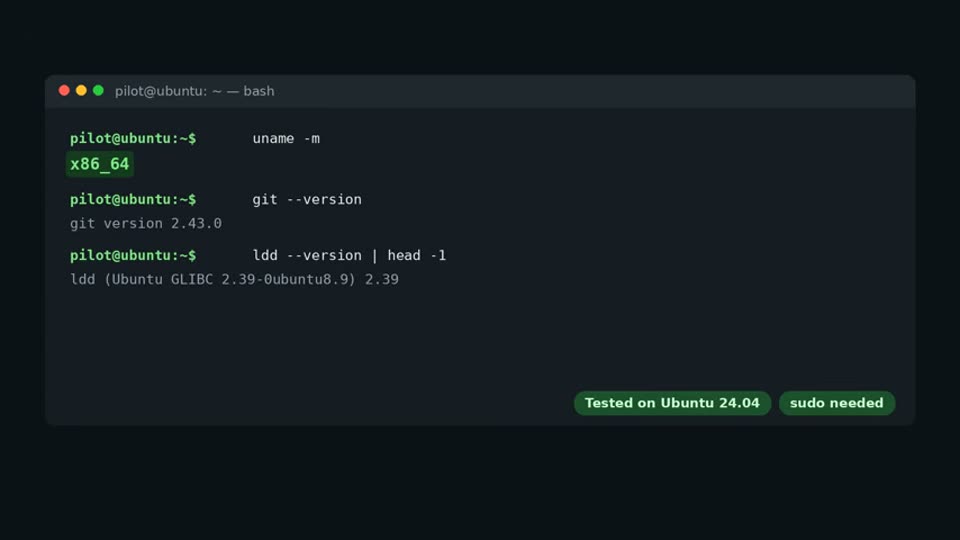
Terminals shown in the video are recreated from a real sandbox test run and labeled as simulated, with install time compressed. No presenter actions beyond the description are claimed here, and none of these steps were independently re-tested for this guide, so treat each as untested on your machine until you run it.
Added from the sources: why the release .deb is the taught path
Added from the sources: OmniDiff is a Rust syntax-aware difftool by ivankovic, licensed AGPL-3.0-only, and v0.3.0 shipped November 1 with embedded-language diffing, class-by-class CSS diffs, and reported 22 to 43 percent speedups. The release page carries the ready-built omnidiff_amd64.deb at about 7.6 MB, with Depends: libc6 >= 2.35, which Ubuntu 24.04 with glibc 2.39 clears.
Added from the sources: the project README also documents an apt repository and a cargo install --locked omnidiff path plus an interactive omnidiff git configure wizard, but the video deliberately teaches the manual three-command wiring instead. That choice matches the research notes: the repo's own InRelease labels its packages Unofficial omnidiff packages, the cargo path needs Rust 1.92 plus a multi-minute tree-sitter compile, and the wizard refuses piped stdin because it needs an interactive terminal. The three manual commands are the deterministic equivalent.
In the video: download and install the .deb
In the video: the download pulls the official v0.3.0 amd64 .deb from the GitHub releases page, then installs it with apt and checks the version. The on-screen install output is labeled simulated test-run output with install time compressed.
The commands follow the Prag command sheet, which mirrors the description order:
curl -fSL https://github.com/ivankovic/omnidiff/releases/download/v0.3.0/omnidiff_amd64.deb -o omnidiff_amd64.debsudo apt install ./omnidiff_amd64.debomnidiff --version
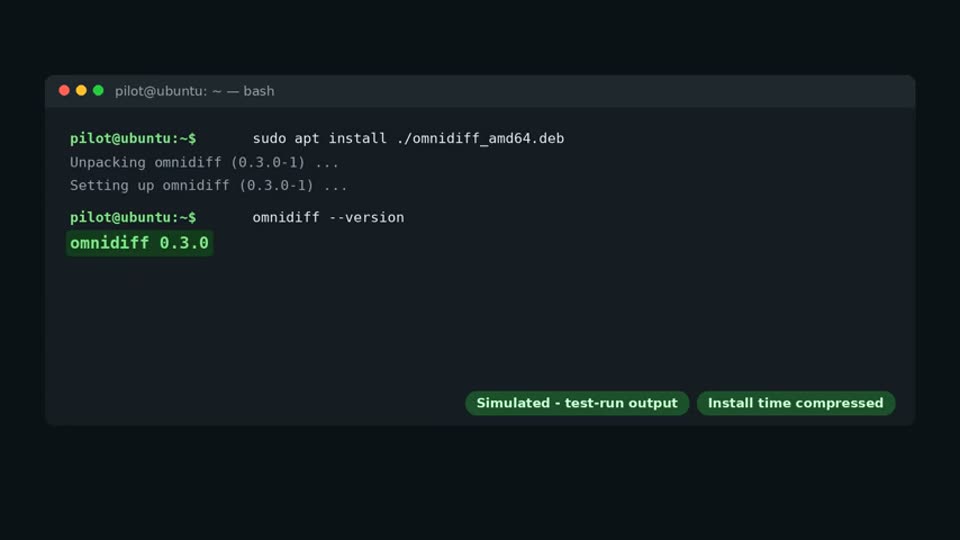
Added from the sources: the sandbox verification fetched the exact artifact at 7,601,964 bytes and dpkg-deb -I confirmed omnidiff 0.3.0-1 for amd64 with Maintainer: Marko Ivankovic. The sudo apt install step itself ran nowhere with sudo in the sandbox, so its two output lines are docs-standard apt phrasing, and the installed binary is the exact verified artifact. Untested here.
In the video: wire three git entries and prove the engine
In the video: git integration is three git config commands that set the difftool command, make OmniDiff the default diff tool, and turn the prompt off, followed by a git config --get-regexp check showing all three entries. Daily use is then git difftool, while plain git diff stays text.
The wiring commands from the Prag command sheet are:
git config difftool.omnidiff.cmd 'omnidiff "$LOCAL" "$REMOTE"'git config diff.tool omnidiffgit config difftool.prompt falsegit config --get-regexp 'difftool|diff\.'
In the video: verification runs omnidiff --mode headless against two files, where a five-line loop becomes a one-line sum call, with removed lines and the changed return shown. That is the syntax-aware check.
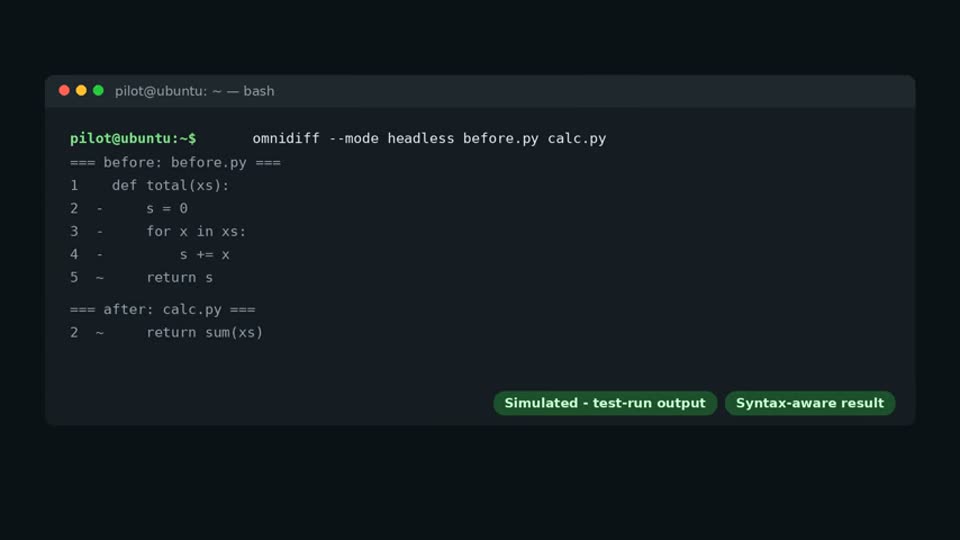
Added from the sources: the sandbox ran the headless check headless-only and it exited 0 with - removed lines and ~ changed lines verbatim on screen. The interactive TUI viewer itself was never launched headless, so anything about the interactive viewer comes from the docs, not from a test. If you want persistent agent memory alongside a tool like this, the claude-mem setup guide is a useful pairing read.
What is untested and what is next
- The download,
aptinstall, version check, three-command git wiring, and headless verification were shown in the video and corroborated against the OmniDiff repo and its v0.3.0 release, but none were re-run in this package, so all count as untested here. - No version drift at publish time: the release checked is
v0.3.0from November 1. If a newer release exists when you read this, check its notes for changes to install steps, git integration, or headless flags. - Affiliate link: the voiceover tool I use is ElevenLabs at https://try.elevenlabs.io/1umqbghymm28. Affiliate link: I may earn a commission at no extra cost to you.