Ubuntu 26.10 Final: Install, Upgrade + Myna AI (2026)

This companion guide starts from the video Ubuntu 26.10 Final: Install, Upgrade + Myna AI (2026) and adds grounded detail from the Canonical announcement plus the release notes so release day runs in order. The video is a narrated walkthrough rather than a filmed bench install, so every section below keeps In the video claims apart from Added from the sources research. Readers wanting the beta-era decision tour first should see the earlier Ubuntu 26.10 beta guide, which this final-install edition follows as a genuinely distinct sequel.
What landed on release day
- In the video: Ubuntu 26.10 Stonking Stingray shipped final on 15 October 2026 as an interim release with about nine months of support until roughly July 2027, after which the hop is to 27.04 or running without security fixes.
- Added from the sources: the final desktop ISO weighs about 6.2 GB from the 13 October build with torrents plus signed checksums published on release day, and all ten flavors shipped alongside it, per releases.ubuntu.com, checked October 2026.
- In the video: two installer notes matter for the curious with a dedicated build tuned for modern amd64v3 CPUs and real desktop images for RISC-V aimed at the new RVA23 boards, sitting under kernel 7.3 in near-final state and GNOME 51.
- Added from the sources: the release is anchored by the Canonical final announcement plus the official 26.10 release notes, checked October 2026, with anything not personally tested marked untested.
- In the video: the homelab rule from the beta video repeats unchanged on release day with the spare laptop, test VM, and tinkering desktop installing today after a backup while the NAS, the Proxmox host, and anything the household depends on stays on 26.04 LTS with no exceptions and no guilt.
Fresh install in order
- In the video: the fresh path runs grab the ISO from the download page or the releases server, verify it before flashing anything by checking the file against the published SHA256 sums plus the signature for the thorough, flash with any trusted tool, boot the stick, and walk the installer through language, keyboard, network, and the disk page.
- Added from the sources: the documented verification flow is
sha256sum -c SHA256SUMSagainst the published sums with the GPG signature check as the optional thorough step, quoted from the release process and untested here. - In the video: the disk page offers TPM-backed encryption that now works even on machines without a hardware root of trust when a PIN or passphrase is set, then reboot, finish onboarding, and the Stingray is home.
- Added from the sources: the security story around that installer includes completed Rust coreutils so every
cp,mv,rm, andlsruns memory-safe code with a documented GNU fallback, Sequoia PGP verifying archives with quantum-safe token support behind it, a slimmer signed boot chain, dropped WEP Wi-Fi, and OpenSSL 4 with encrypted client hello, per the announcement and release notes. - In the video: hardware hounds upgrade for the kernel and graphics stacks with Linux 7.3 enabling Intel Nova Lake graphics parts, AMD Zen 6, and recent Snapdragon laptops, plus NVIDIA 615 open-kernel-modules-only on Turing and newer beside Mesa 26.2.
- Added from the sources: developers and AI tinkerers get ROCm 10 with modern serving frameworks plus GCC 15.2, Python 3.14, Rust 1.97.1, Go 1.27, and ready-made Spring plus Rust devpacks, per the announcement, quoted and untested here.
Upgrading without horror stories
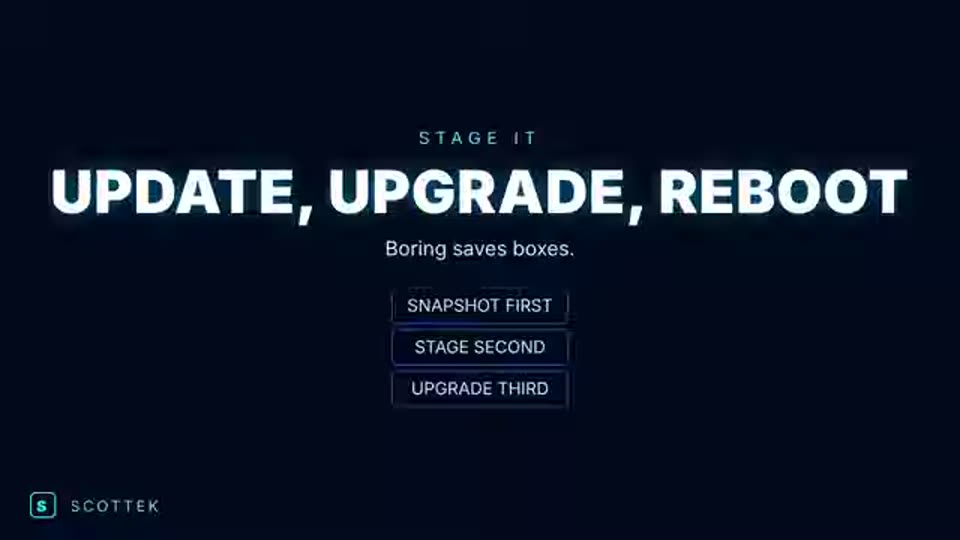
- In the video: upgraders from 26.04 or 25.10 back up like they mean it first with a Timeshift snapshot or full disk image on bare metal, a hypervisor snapshot for a Proxmox VM, and anything precious copied off the box entirely.
- In the video: staging runs
sudo apt updatethensudo apt full-upgradewith a reboot when a new kernel waits, thenlsb_release -ato pin down the exact starting point, plus unplugging anything exotic that cannot be debugged on a Thursday night. - In the video: the one command is
sudo do-release-upgrade, where the beta weeks needed a development flag but the final is simply offered, whilesudo do-release-upgrade -conly checks availability without touching anything. - Added from the sources: the upgrade flow above is the documented Ubuntu path and every command here is quoted from standard documented flows and untested on a live 26.10 box here.
- In the video: beta testers get the easiest ride by just installing updates to converge on the final stack with no reinstall, and after rebooting the verification trio is
uname -rfor the 7.3 kernel,gnome-shell --versionfor GNOME 51, andcp --versionto see the Rust credit line firsthand.
Myna on-device dictation hands-on
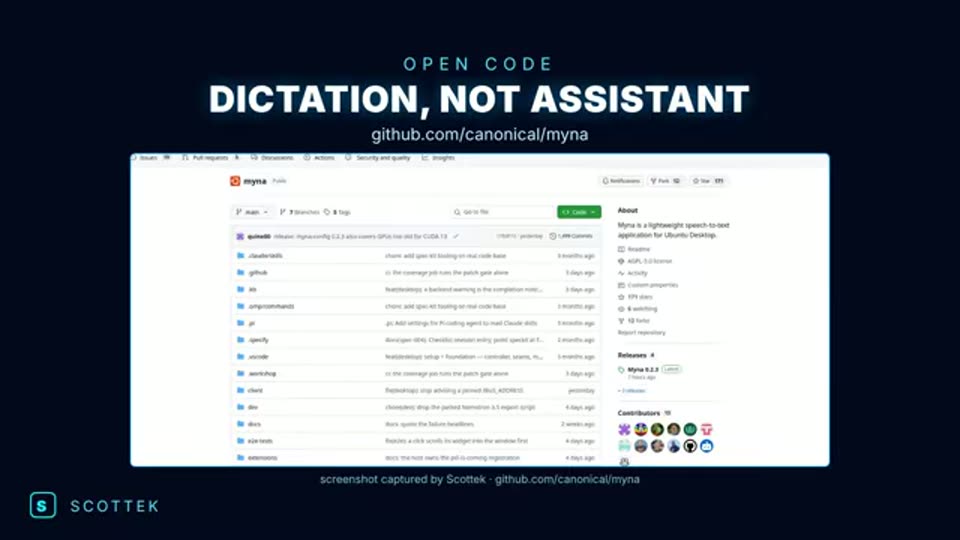
- In the video: Myna, named after the speech-mimicking bird, is Ubuntu's first on-device AI feature with speech-to-text dictation where recognition runs entirely on the machine, needing no internet once the model downloads and never uploading or storing audio anywhere.
- Added from the sources: Myna ships as a technology preview installable from
ppa:canonical-desktop-team/mynawithsudo apt install myna-config, configured from Myna settings in Activities, and it stays dictation-only rather than driving the desktop, per the Myna preview post, with both commands untested here. - In the video: setup downloads a recognition model and offers engine picks of Parakeet, Whisper, or FunASR trading language support, accuracy, and hardware appetite differently, with an accelerated engine option on supported NVIDIA GPUs and more accelerators planned.
- In the video: daily use stays gloriously simple by clicking into any text field, pressing the hotkey, and talking while words land where the cursor sits, built accessibility-first with visual feedback while speaking.
- Added from the sources: the code is open at github.com/canonical/myna so the whole thing is auditable, the preview supports 24.04, 26.04, and 26.10 on amd64 plus amd64v3 under GNOME Wayland, and rough edges are expected with feedback wanted on transcription quality, languages, accents, and app compatibility, per the preview post.
- In the video: the roadmap runs bigger than dictation toward saying what is wanted and having the desktop assemble the workspace, with Myna as step one slated to ship by default in the 28.04 LTS, while planners note 27.04 Tenacious T-Rex due April 2027 and a redesigned installer waiting at 28.04.
- Added from the sources: the desktop touched daily is GNOME 51 with a visual snap-layout picker, smooth animations under load, extended reduced motion, friendlier fingerprint enrollment, passkey and QR logins, an App Center unifying snaps and debs with a dedicated drivers page, and dbus-broker plus desktop OOM scoring underneath, per the release notes.