Fedora 45: What's New + Should You Upgrade?

Companion guide to the video walkthrough: Fedora 45: What's New + Should You Upgrade? (2026 Guide)
This companion guide follows the video tour of Fedora 45, which was recorded before final release: the video shipped from the September 15, 2026 beta while the project sat in Final Freeze since October 6 with a primary release target of October 20, 2026 (fallbacks October 27 and November 3), per the Final Freeze report. Treat everything below as a beta-based preview plus upgrade preparation, and re-check the Fedora 45 ChangeSet if the final slipped a week.
Release snapshot: dates, desktops, support window
- Schedule. Beta September 15, 2026, Final Freeze October 6, release target October 20 with fallbacks October 27 and November 3, per the Final Freeze report.
- Desktops and kernel. GNOME 51 on Workstation, KDE Plasma 6.7 on the KDE edition, everything on Linux kernel 7.2, per the Fedora 45 feature rundown.
- Support window. Fedora 45 declares
SUPPORT_END=2027-11-24in/etc/os-release, about thirteen months of updates, per the feature rundown. - Deadlines that drive the verdict. Fedora 43 reaches end of life on December 9, 2026, roughly four weeks after Fedora 45 ships, while Fedora 44 stays supported to June 2, 2027, per endoflife.ai.

What is new that matters
- kmscon replaces fbcon. The roughly fourteen-year-old in-kernel framebuffer console steps aside for a userspace terminal on KMS, with sharper fonts, real Unicode coverage, HiDPI zoom, working scrollback, and automatic fallback to a plain login prompt, per the ChangeSet.
- **GNOME 51 A Coruña. Final since September 16, 2026** and codenamed for the GUADEC host city, it brings offline Maps regions with live transit, passkey and smartcard and QR login, hand-drawn signatures in Papers, Mutter frame scheduling that stays smooth under load, scalable SVG cursors, a new fingerprint enrollment page, touchpad-off-when-mouse-is-plugged-in, and an About page with a release-notes button, per the GNOME 51 release notes. Beta composes carried a release candidate, so run updates after install to land the final, per the feature rundown.
- Locked down by default. RPM signature checking is now enforced, so
rpm -ion an unsigned package fails instead of warning; DNF5 no longer switches vendors silently;ptraceis restricted through Yama; and repo configs move from/etc/yum.repos.dto/usr/share/dnf5/repos.d, so scripts and muscle memory need updating, per the ChangeSet and the feature rundown. - oo7 unifies secrets. One Rust secrets service replaces GNOME Keyring and KWallet behind the standard Secrets API, ending the two-rival-wallet problem for mixed GNOME and KDE setups, per the ChangeSet.
- Installer and rescue. Anaconda gains Stratis pools over Kickstart and the WebUI, Atomic Desktops get the WebUI installer on image-builder ISOs, CoreOS picks up systemd-oomd with zram swap, and a new DRM Panic screen replaces the raw text dump when the kernel dies, per the ChangeSet.
- Stack. Podman 6, GCC 16.2, LLVM 23, Python 3.15, Go 1.27, glibc 2.44, RPM 6.1, OpenSSL 4.0, and systemd 262, with reproducible package builds, per the ChangeSet.
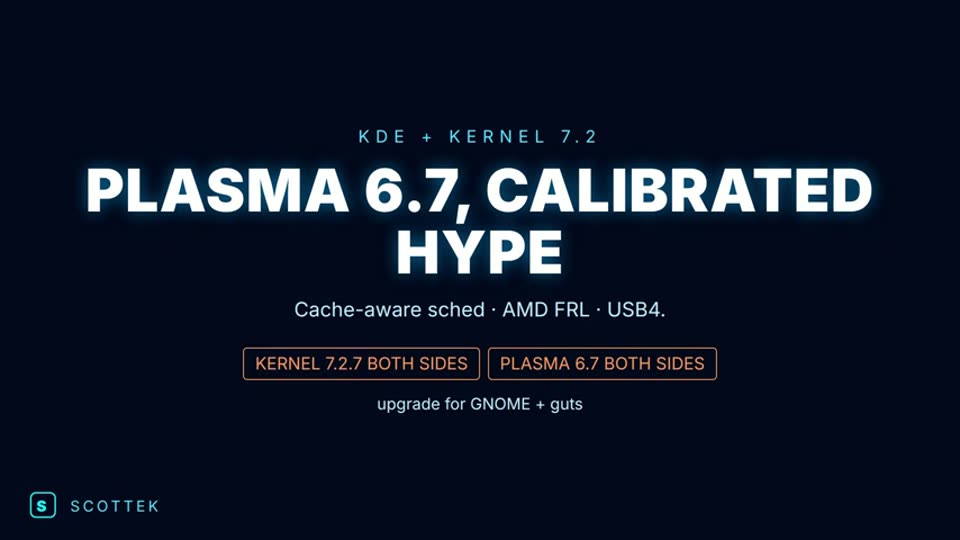
- Calibrated hype. Kernel 7.2.7 and Plasma 6.7.5 already reached Fedora 44 through updates, so neither alone justifies the upgrade; the reasons are GNOME 51, kmscon, oo7, and the security defaults, per the feature rundown.
Fresh install pointers
- Try before committing. Boot the live ISO in a VM or off a Ventoy stick and run the real workflow of browser, editor, VPN, and screen sharing before touching the daily driver.
- Check extensions first. GNOME 51 breaks some shell extensions every cycle, so confirm yours before committing.
- Check codecs and drivers. Confirm the RPM Fusion Fedora 45 repos are populated for codecs and drivers, and Nvidia users in particular should wait for green akmod builds.
- Get media from the source. Start at Get Fedora Workstation and check the image against the published checksums before flashing.
- Update right after install. A post-install update pulls GNOME 51 final and the release-day fixes on top of beta-era media.
Upgrade path with DNF system-upgrade
- Back up first: release upgrades do not roll back in place. Copy off home directories, configs, and anything hand-edited under
/etc, plus a disk image or VM snapshot where possible. The Fedora upgrade docs warn that every system-wide upgrade is potentially risky and suggest having the Workstation live image handy. - Refresh the current system. Run
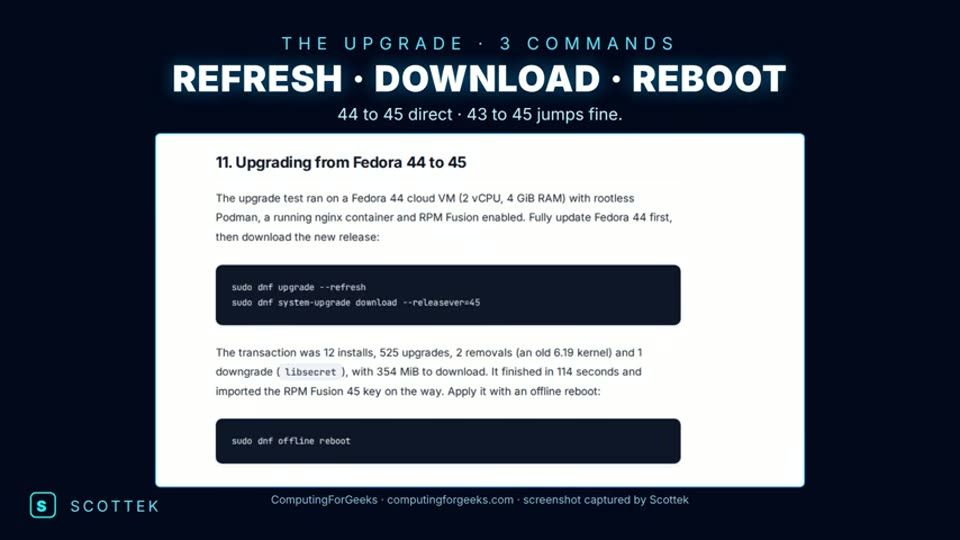
sudo dnf upgrade --refresh, then reboot. The docs flag this step as mandatory because updates deliver the signing keys for the higher release and fix upgrade-process bugs. - Download release 45. Run
sudo dnf system-upgrade download --releasever=45, adding--allowerasingonly if unsatisfiable dependencies block the run, and read the removal list carefully before accepting it. - Apply offline. Run
sudo dnf offline rebooton DNF5-era systems, orsudo dnf system-upgrade rebooton older DNF4-based ones, with work saved and programs closed, since the machine reboots into the upgrade environment and then into the new release. Verify the new GPG key fingerprint against Fedora security, and usesudo dnf offline cleanto cancel and drop downloaded files. - Supported paths. Upgrades are officially supported and tested over at most two releases: 44 to 45 is the standard path and 43 to 45 jumps straight there, while anything older must step upward in hops of two or fewer, per the Fedora upgrade docs.
Post-upgrade checks
- The docs-sourced cleanup steps below follow the Fedora upgrade docs and were not exercised for this guide.
- Confirm identity with
cat /etc/os-release, the booted kernel withuname -r, and the desktop withgnome-shell --version. - Reconcile configs with
sudo dnf install rpmconffollowed bysudo rpmconf -a, watching for.rpmnewand.rpmsavefiles and reviewing repo files carefully given the new/usr/share/dnf5/repos.dlocation. - Clear retired packages with
remove-retired-packages, passing the old release number when jumping two releases. - Tidy leftovers with
sudo dnf repoquery --duplicates,sudo dnf list --extras, andsudo dnf autoremoveon a fully updated system.
Who should upgrade now and who should wait
- Upgrade on day one if on Fedora 43, since support ends December 9, 2026.
- Upgrade in week one for GNOME fans, homelabbers wanting Podman 6 and Stratis installs, and anyone who wants the security defaults done right.
- Wait about two weeks when depending on GNOME extensions, Nvidia akmods, or RPM Fusion codecs, and let the ecosystem catch up.
- Stay put when happy on Fedora 44 with everything working, since support runs into June 2027 and Fedora 46 arrives around April.