Safest Linux in 2026? Fedora vs Mint vs Ubuntu LTS Verdict

This companion guide follows the video comparison of Fedora 44, Linux Mint 22.3 Zena, and Ubuntu 26.04 LTS Resolute Raccoon, scoring all three on the same security axes and naming a winner per use case. Watch the walkthrough on YouTube.
Nothing here comes from a lab install on this side — versions, dates, and features are voiced as documented releases, with primary sources linked inline. Where the guide gives a recommendation, it is marked as opinion.
What safe actually means
Safety is a threat model, not a trophy, a point the video carries over from the channel's earlier safety survey. A Windows switcher needs safe defaults and easy recovery. A daily driver needs fast patches and a browser sandbox that holds. A homelab server needs years of updates and disk encryption that survives theft. This guide scores every contender on the same six axes so the verdict means something for your machine, not an abstract crown.
The six axes this guide scores
- Update model — how fast fixes land and how often you must upgrade to keep getting them
- Mandatory confinement — SELinux on Fedora versus AppArmor on Ubuntu and Mint
- Secure Boot posture — signed boot path plus any documented hardening
- Firewall defaults — what is on at first boot versus one click or one command away
- Display server — Wayland session isolation versus legacy X11 exposure
- Support window — how long security fixes keep coming, LTS versus roughly yearly releases
Fedora 44: the fast-moving fortress
Fedora 44 arrived on April 28, 2026 with GNOME 50 on Workstation and Plasma 6.6 with the new Plasma Login Manager on the KDE edition, per the Fedora Magazine release announcement. The kernel shipped at 6.19 and rolls toward the 7.0 line through normal updates, so fixes built on new upstream code land fast.

Fedora's confinement story is the strongest default of the three in one dimension: SELinux runs in enforcing mode with the targeted policy out of the box, a default stated in the Fedora Workstation technical specification and documented in the Fedora SELinux quick docs. The firewall (firewalld) is on from first boot — verify it any time with sudo firewall-cmd --state and check confinement with getenforce. The GNOME 50 session is Wayland-only with no X11 session on offer, which removes whole classes of keylogging and screen-scraping tricks that the X11 protocol design permits.
The price of admission is cadence. Each Fedora release is supported for roughly thirteen months, so a major version upgrade comes due about once a year, and a skipped upgrade means an unsupported system with no security fixes. New kernels and new desktops also mean new bugs surface here first. The sealed Atomic Desktop images suit the cautious, but standard Workstation expects you to keep up.
Linux Mint 22.3 Zena: the comfort pick
Linux Mint 22.3 Zena, released January 13, 2026 and covered by The Register's release report, is the final entry in the 22 series. It builds on the Ubuntu 24.04 long-term base with kernel 6.14 and Cinnamon 6.6, plus newer hardware-enablement ISOs carrying kernel 6.17, and it is supported until 2029.
Mint's safety story is conservatism done right. Every security fix Canonical ships for the 24.04 base flows downhill to Mint. The Update Manager nags in plain language and handles kernel updates visibly, and it pairs with Timeshift snapshots, so a bad update is a reboot-and-restore rather than a disaster. That combination is genuinely the friendliest recovery story of the three for a beginner.
Mint pays for comfort in modernity. Cinnamon still defaults to X11, with the Wayland session explicitly experimental, so the protocol-level isolation the other two enjoy is not Mint's default yet. The two-year-old base means newer hardening arrives late: no memory-safe sudo rewrite, no TPM-backed encryption installer, no permission pop-ups. And the firewall ships off rather than on — one click away in settings, but off at first boot, so enabling it belongs on every Mint setup checklist.
Ubuntu 26.04 LTS Resolute Raccoon: the default answer
Ubuntu 26.04 LTS Resolute Raccoon, released April 23, 2026 with point release 26.04.1 in August, is summarized for upgraders in the official 26.04 LTS release notes. It ships GNOME 50 and kernel 7.0, and its security changes are detailed in Canonical's what's new in security for 26.04 LTS post.
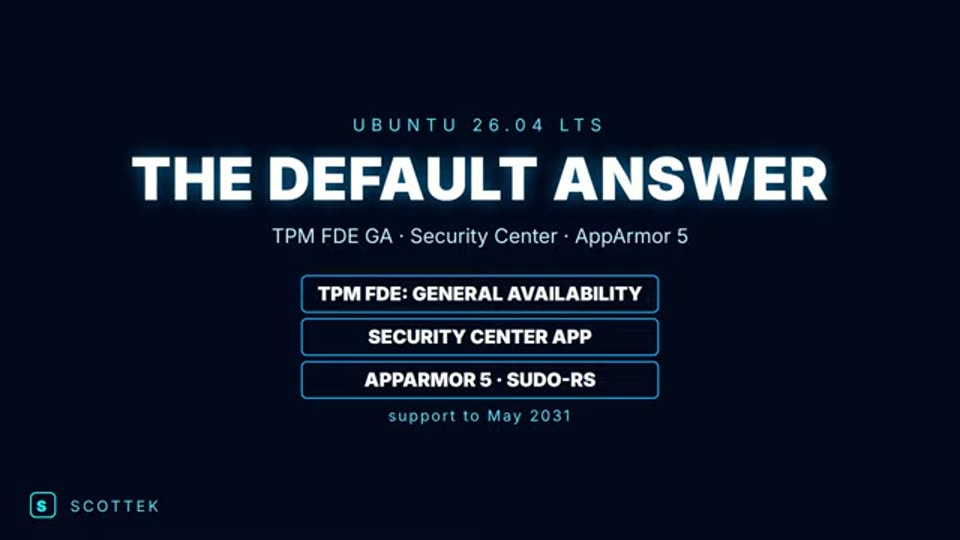
The headline is encryption: TPM-backed full-disk encryption is now generally available in the installer after earlier experimental releases, with firmware-update warnings, post-install PIN management, and recovery keys. The new Security Center app surfaces encryption state, Secure Boot status, and update posture in one window. Underneath, AppArmor 5.0 ships with new application profiles — the version matrix is documented in the Ubuntu security features overview — while sudo-rs and Rust coreutils become the defaults and OpenSSH gains post-quantum key exchange. Secure Boot is hardened with NX enabled across variants, automatic security updates stay on, kernel Livepatch is offered, and standard support runs into the next decade.
Ubuntu's price is philosophy, not security posture. Snap packaging annoys veterans, though confinement is genuinely part of the sandbox story, and Ubuntu Pro prompts irritate minimalists, though Pro is what funds the extended maintenance years. Popularity is its own threat surface too — Ubuntu is the biggest desktop target. None of that changes the scoreboard, but opinion: if you left Ubuntu years ago over Snaps, know what you are walking back into.
Three settings that harden whichever you pick
These apply everywhere, on all three contenders, and take about twenty minutes total.
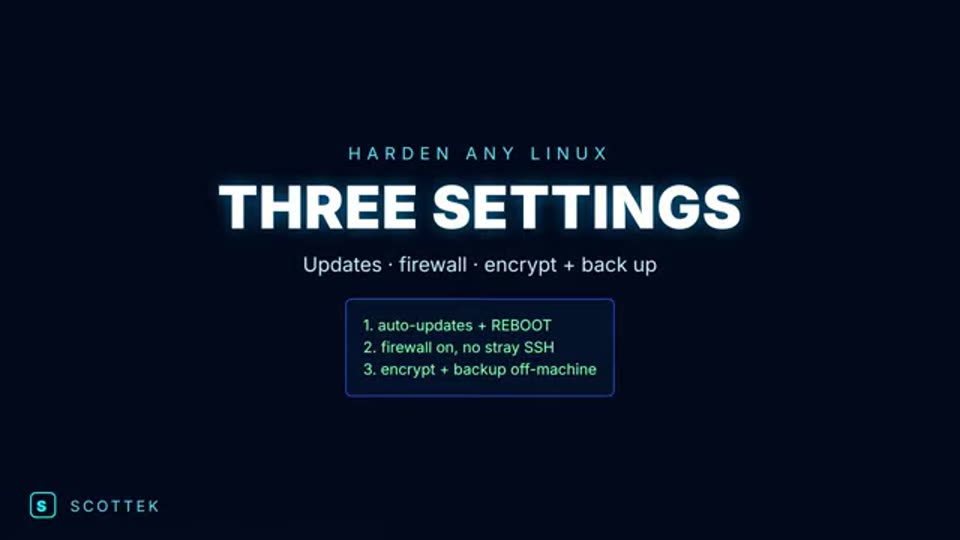
- Turn on automatic security updates and reboot when the kernel asks — every distro here ships the mechanism, and none of them can install your reboot for you. On Ubuntu that is the Software updater schedule, on Mint it is Update Manager automation, on Fedora it is GNOME Software or a
dnftimer. - Close the front door — enable the firewall and skip running an SSH server on public Wi-Fi when you do not need one. Fedora users verify with
sudo firewall-cmd --state; everyone else gets there withsudo ufw enableor two clicks in settings. - Back up like theft is the threat — because for laptops it is. Encrypt the disk at install time, keep a tested Timeshift or Deja-Dup snapshot, and store one copy off the machine.
Verdict: who should install what
Opinion, grounded in the scoreboard above. The safest default for most people in 2026 is Ubuntu 26.04 LTS: TPM-backed encryption in the installer, a Security Center that shows your posture, modern confinement, automatic updates, and support into the next decade — no other default hands you that much.
- Beginner leaving Windows — install Mint 22.3, with the honest caveat that its modern hardening lags a generation. The friendly updater plus the snapshot safety net is the combination most likely to keep a first-time Linux user both safe and unstranded. Enable the firewall during setup.
- Homelab server — install Ubuntu 26.04 LTS. The decade-plus support window, automatic security updates with Livepatch, and TPM-backed encryption decide it for machines you want to forget about safely.
- Laptop daily driver for an enthusiast who updates monthly — install Fedora 44. Enforcing SELinux, Wayland-only GNOME, and the newest everything, provided you accept the yearly upgrade treadmill.
And the through-line stands: Linux is not automatically safe, but picked and configured this way, it is a strong claim — opinion — that this trio represents the safest desktop deal in computing in 2026.
Keep going
- Fedora 45: What's New + Should You Upgrade? — read the companion guide
- Ubuntu 26.10: Install, Upgrade + Myna AI — read the companion guide