Unsloth 0.1.911: Schedule Local AI Tasks

This guide is a written companion to the video, which is the starting point for everything below. Watch the video first, then use this page as the reference with links to the official sources. The video walks through the 0.1.911 release with on-screen cards and a live terminal demo, and this page separates what the video shows from what was added from the release notes and docs.
Scheduled tasks are local cron for prompts
In the video: open Scheduled from the sidebar More menu, type a prompt once, and pick a cadence of once, daily, weekdays, weekly, or monthly, with each answer saved as its own chat so a daily briefing becomes a scrollable stack.
- In the video: each task can answer with the loaded model, a different model on your device, or a connected API provider, and if the task model is not loaded Unsloth asks before loading it unless you enable Switch automatically when I am away.
- In the video: notifications can fire after every run, only on failure, or never, and the recommendation is failures-only while you learn to trust a chatty morning prompt.
- In the video: daily is the shortest tick and there is no hourly option, so the workaround is stacking several daily tasks at different times, with hourly tracked as a GitHub feature request rather than a hidden toggle.
- Added from the sources: the release notes confirm the same cadence list, the per-task model target, the away-switch behavior, the three notification modes, and that tasks run only while Unsloth is running, without tools or web search.
In the video: the honesty box is that tasks sleep when you close the app or the laptop lid, and they run with no shell commands, no file writes, and no fresh web data, so they fit briefings, rewrites, summaries of pasted text, and recurring drafts, but not live data or side effects. Added from the sources: the same limits are stated verbatim in the release notes, and the no-hourly workaround is corroborated by the Reddit thread where daily is confirmed as the shortest interval.
MiniMax M3.1 Flash lands as a local GGUF
In the video: MiniMax M3.1 Flash is a 428B mixture-of-experts model with about 23B active parameters per token, native text plus image plus video input, and up to 1M tokens of context, tuned for coding and agent workflows.
- In the video: the reference quant is
UD-Q2_K_XLat a 143.9 GB download, the Q4 spans seven shards totaling about 232 GB, and the release notes call for at least 130 GB of RAM plus VRAM combined, so this is a dual-GPU workstation or 256 GB Mac Studio class machine, not a single 24 GB card. - In the video: the easiest load path is the Unsloth Desktop Model Hub search for MiniMax-M3.1-Flash, starting at 16K context, one parallel slot, high reasoning effort, and the included chat template, then tuning CPU and GPU offload to your memory untested here.
- In the video: the terminal path is one command serving an OpenAI-compatible endpoint on port 8080 untested here.
unsloth run --model unsloth/MiniMax-M3.1-Flash-GGUF:UD-Q2_K_XL --temp 1.0 --top-p 0.95 --top-k 0 --min-p 0 --host 127.0.0.1 --port 8080
- In the video: with your own llama.cpp build, download all Q2 shards into one folder and point
llama-serverat the first shard, keeping every shard together or the load fails untested here. - In the video: the GGUF repo was still marked work in progress at release with text weights first, so check for the vision projector before planning multimodal tricks.
- Added from the sources: the MiniMax M3.1 Flash guide documents the Dynamic GGUF path and the same load recipe, the GGUF repo hosts the quants, the base model page covers the upstream weights, and the release notes confirm the 428B MoE with 23B active, the 1M context, and the 130 GB floor.
FLUX.3 edits, video, and Mac speedups
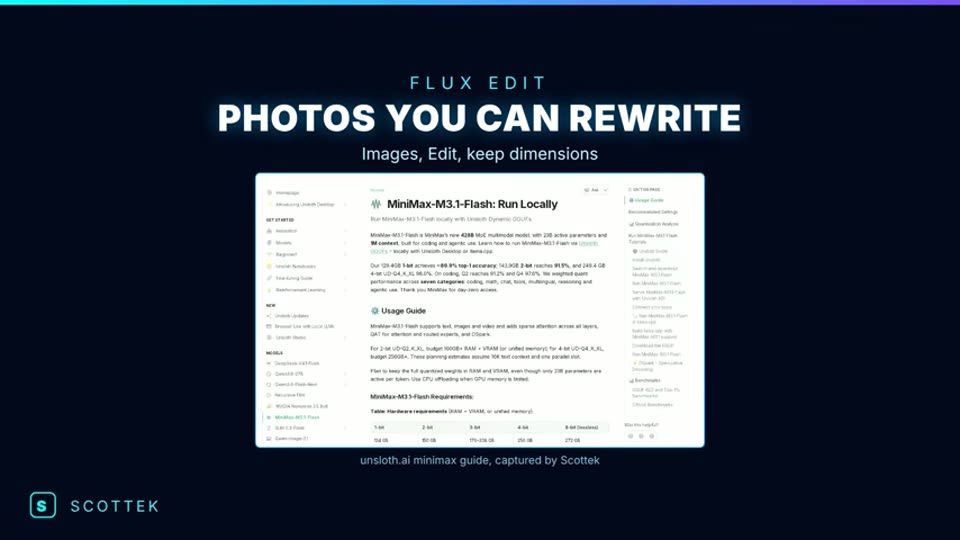
In the video: FLUX.3 Klein can now edit photos under Images and Edit while keeping the photo dimensions instead of cropping to square, so you describe the change in words and get the edit back.
- In the video: a Detailer toggle redraws faces, hands, or anything you name at higher resolution, but that pass needs SAM 3 plus an inpaint-capable model.
- In the video: the Video page makes text-or-image clips with Cosmos3-Edge, Wan2.1 1.3B text-to-video renders about 5x faster on pre-30-series NVIDIA cards, and repeat model loads are quicker because Unsloth saves the build after the first run.
- In the video: on Macs, MLX chats reply up to 16 percent faster with draft models and image renders stop swapping on low-memory machines.
- Added from the sources: the release notes confirm FLUX.3 Klein editing with kept dimensions, the Detailer requirements, Cosmos3-Edge video, the Wan2.1 speedup figure, saved first-load builds, the 16 percent MLX figure with automatic draft-model use, and Z-Image GGUFs rendering 1.5 to 2x faster on Apple Silicon via MLX by default.
Presets, progress bars, and API polish
In the video: the sleeper feature is saved run presets, where you save Run settings as named presets per model, then rename, delete, or switch between them, and the last-picked preset is what that model loads with next time including loads through the API.
- In the video: chat sampling settings can either be remembered per model or snap back to the model recommended values.
- In the video: long GGUF prompts now show progress and time left before the first token, the API page shows per-model context use, speed, and request count, and Settings shows storage as a usage bar split across models, caches, and free space.
- Added from the sources: all four behaviors are stated in the release notes under UI plus UX, and general Desktop flows are covered in the Desktop docs.
Training and self-hosting fixes worth knowing
In the video: trainers can split each layer across GPUs for LoRA and QLoRA by setting UNSLOTH_TP_SIZE to the GPU count and launching with torchrun, so each card holds less untested here.
- In the video: fine-tuning the 4-bit gpt-oss checkpoints no longer crashes on the first step, and GRPO steps run up to 1.9x faster with vLLM and up to 4.4x faster without it on Llama and Qwen3 untested here.
- In the video: apps on your Unsloth API key can no longer approve their own Python or terminal calls to escape the sandbox, and Unsloth stops trusting forwarded client IPs by default, so behind your own reverse proxy set
UNSLOTH_STUDIO_TRUST_FORWARDED=1or all users share one login rate limit untested here. - Added from the sources: the release notes state each of these fixes verbatim, and the changelog tracks the release sequence.
Should you update
In the video: yes if you live in Unsloth Desktop, because scheduled tasks plus presets plus the progress bars make the daily loop genuinely better, and the Mac and load-time wins are free.
- In the video: if you came for MiniMax M3.1 Flash, do the VRAM math first, with about 144 GB for the lean quant, 232 GB for the nicer one, and 130 GB minimum at 1-bit, which is a download evening and a machine most of us do not own.
- In the video: the practical split is running small locals on your own rig and borrowing the giant through the API target in a scheduled task, letting the schedule do the boring work.
- Added from the sources: Unsloth Desktop is free and open source with Windows, macOS, and Linux builds on the release page, and this release is framed as the scheduled-tasks sequel to the earlier Unsloth Studio guides on browser AI and 8-step images and local voice cloning and transcription.