Indra OCR: 49 Pages/Sec on CPU, No GPU (2026 Guide)

Companion guide and video starting point
This article is a companion to the video, not a replacement for it, and the video is the starting point for everything below.
In the video: the presenter covers Indra's speed and benchmark scores, installs it, feeds it real documents, tours the local viewer, wires it into homelab automation, and closes with honest limits before trusting it with an archive.
Added from the sources: commands, scores, limits, and license terms below were checked against the Datalab Indra OCR announcement and the indra repository, both checked October 18, 2026. All speed and accuracy numbers are vendor-published on Datalab's own new benchmark until independently reproduced. Nothing here was run hands-on, so treat the commands as documented flows and verify on your own scans.
What Indra is
In the video: Indra OCR, released October 13th by Datalab, is a tiny-on-purpose reader: a 1-million-parameter model, 18MB of weights, no graphics card, no PyTorch, just your processor.
Added from the sources: the repo describes fast CPU OCR with line detection, CTC recognition, reading order, and markdown output, and its credited dependencies are ONNX Runtime, OpenCV, pypdfium2, and the Hugging Face Hub. The full model set is about 18MB, Python 3.10 or newer is required, the first run downloads models from Hugging Face into a cache, and a local copy can be pinned with INDRA_OCR_MODEL_DIR or --model-dir.
- Indra turns PDFs and images into clean markdown, plain text, or JSON with a box on every line, labeled layout blocks, and reading order, even on upside-down scans.
- On digital PDFs it reads the built-in text layer where its checks pass, in any script, and only runs neural OCR where text is missing.
- On scans it reads Latin, Cyrillic, Greek, Devanagari, Bengali, and Chinese. Anything else on a scan comes out wrong, and vertical text is unsupported, so know which pile you own first.
Speed and scores, with the vendor-yardstick caveat
In the video: 49.4 pages per second on 32 cores, 11 to 17 times faster than Tesseract and PaddleOCR, a headline score of 62 against 58 for the full Paddle pipeline, and an opt-in math mode that leads everywhere.

Added from the sources: the announcement publishes the full benchmark tables behind these figures. The architectural trick is one single-threaded worker per core with one page per task, so even a single long PDF uses every core: 7.3 pages per second on 4 cores scaling linearly to 49.4 on 32, with a real 300-page job including model loading at 37.7 on 32 cores.
- Two honesty notes from the video, confirmed in the research: this is Datalab's own new yardstick, vendor-scored until others reproduce it, and without math mode the big Paddle pipeline still reads plain text slightly better. Speed or last-point accuracy is a per-job choice.
- Single-page latency is about 230ms on 4 cores, and digital text-layer pages are a fast path at a median 130ms versus 300ms for OCR pages.
Install and first runs
In the video: Python 3.10 or newer, one pip install pulling ONNX Runtime, OpenCV, and pypdfium2, pointedly not PyTorch, then single-file, batch-folder, and JSON runs on all cores.
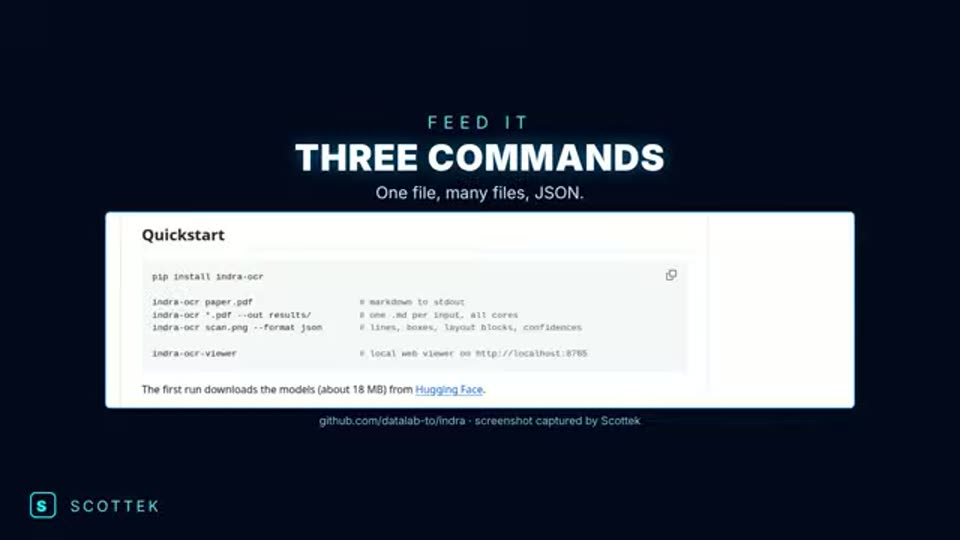
Added from the sources: the repo quickstart documents the same surface: pip install indra-ocr, indra-ocr paper.pdf for markdown to stdout, indra-ocr star.pdf --out results/ for one markdown file per input on all cores, and indra-ocr scan.png --format json for boxes and confidences. Useful flags include --format, --mode, --cores, --dpi, --max-pages, --password, --keep-furniture, --math, --timings, and --model-dir.
- Cap core usage with
--cores 8, force pure OCR with--mode ocr, and add--timingsto see per-page source and milliseconds. These flows are untested here. - For the bleeding edge,
pip installfrom the GitHub address works; the repo also documents a Tesseract side-by-side extra. - On Proxmox this fits a small LXC or a Docker sidecar beside Paperless. The whole footprint is smaller than one phone photo.
Verify visually, automate, and mind the limits
In the video: run the local viewer over five nasty scans before trusting anything, flip math mode only where equations live, and slot Indra in front of Paperless as a fast reader rather than replacing the archive of record.
Added from the sources: the repo documents indra-ocr-viewer as a local web app where each page shows lines, blocks, and reading order drawn over the scan beside rendered markdown, sources, confidences, and stage timings, with files staying on the machine. The Python surface is import indra_ocr with load and convert_many running one worker per core, wrapped in a main guard on macOS and Windows.
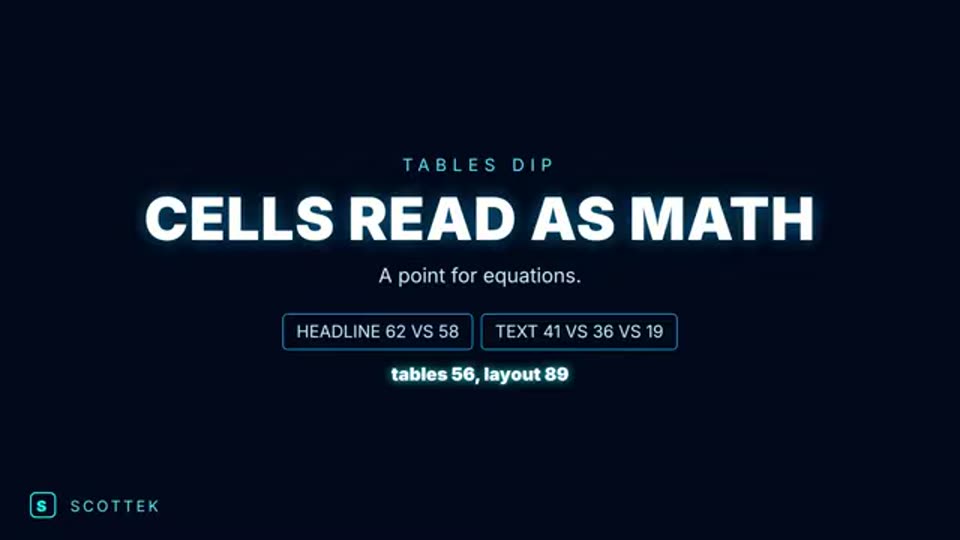
- Math mode finds math lines and rewrites them as inline LaTeX, lifting headline and text scores, but throughput drops by roughly a third and tables slip about a point as cell numbers read as math. Rule of thumb: math off for bulk filing, on for textbooks and papers.
- What fights back: handwriting is unsupported, complex tables with merges or missing rules lose structure, old faded scans score near 20 percent, wide banner pages read poorly, and upright Arabic or Hebrew misrouted to OCR can flip. Automation and viewer flows are untested here.
- License is unusual and must be stated plainly: code is Apache-2.0, weights are modified OpenRAIL-M, free for research, personal use, and startups under 20M in funding or revenue, and not for competing with the Datalab API.
- Related guides: Paperless-ngx as archive of record and Stirling PDF for splits and merges.