Synology RCE Alert: Patch PHP2Shell + Stop Ransomware (2026)

This guide is a companion to the video Synology RCE Alert: Patch PHP2Shell + Stop Ransomware (2026), which is the starting point for everything below. The video gives a ten-minute patch-now checklist for two Synology alerts in one week: C3RB3R ransomware encrypting outdated DSM boxes, and the critical PHP2Shell remote-code bugs. Added research comes only from the official Synology advisories and the linked reporting, and the two are kept visibly separate throughout.
There is a Prag research folder for this video at Synology NAS RCE Patch PHP2Shell Guide, and this guide is grounded in its research notes, narration scripts, and QC report plus the official sources at https://www.synology.com/en-us/security/advisory/Synology_SA_26_14, https://www.synology.com/en-us/company/news/article/C3RB3R, and https://www.synology.com/en-us/security/advisory/Synology_SA_24_20.
A note on sourcing: a subtitle fetch for the video was attempted and failed with an HTTP 429 rate-limit error, so the video description plus the Prag narration scripts serve as the transcript-equivalent here. Anything neither spells out is treated as unverified rather than assumed.
In the video: two alerts, one ten-minute order
In the video: the fix order is DSM first, then PHP packages, then harden and prove the backup. Patching closes the named holes, and hardening closes the next one. No Synology hardware was on the bench, so there is no live DSM UI here; the on-screen demo is a labeled dramatized illustration using genuine advisory data, and the screenshots are self-captured from the official Synology advisory and statement pages.
In the video: the ransomware story is C3RB3R, a Cerber variant encrypting boxes still on end-of-life DSM with .L0CK3D extensions and a read-me3.txt note, with one analyzed demand near 0.037 BTC. Synology's October 29 notice attributes the campaign it investigated to a flaw patched in December 2024 and urges updating DSM immediately with automatic updates on. Security firm 360 attributes the samples it examined to two September 2026 DSM flaws instead. The public statements do not prove one entry point for every infection, so this guide repeats the video's honesty rule: present both, pick neither as the sole cause, and patch every named entry point.
Added from the sources: what each advisory actually says
Added from the sources: SA-24:20 from the 2024 PWN2OWN cycle includes CVE-2024-10441, a critical 9.8 remote-code bug in the system plugin daemon, with fixed builds across DSM 7.2.2 down to 6.2. The 360-attributed pair is CVE-2026-13639 plus CVE-2026-13684 under SA-26:13 from September 18 2026, also 9.8 unauthenticated file read and write, with fixed builds including DSM 7.4-90075 and newer plus 7.3.2, 7.2.2, and 7.2.1 trains. Reports of DSM 7.4.1 infections do not establish a zero-day, and none of these steps were independently re-tested for this guide, so treat each as untested on your machine until you run it.
Added from the sources: the PHP2Shell pair is CVE-2026-109618 plus CVE-2026-109619, critical at 9.2, where a fatal condition such as memory exhaustion makes PHP long-jump out and abandon the request, leaving corrupted or freed request memory that cleanup then trips over. Either path lets an unauthenticated remote attacker run commands as the PHP web worker with one crafted HTTP request, with Apache mod_php boxes at highest risk. Units covered in the Unit42 write-up and the PHP security advisories.
In the video: on a Synology this is a packages problem, not everything. SA-26:14 revision 4 from October 31 names Synology Calendar, Mail Station, and the PHP 7.3 through 8.4 packages, while Hyper Backup is explicitly not affected. PHP 7.3 gets no fix at all because it is end of life, so anything still pinned to it must move to a supported PHP line.
In the video: fixed builds, even for DSM 6.2
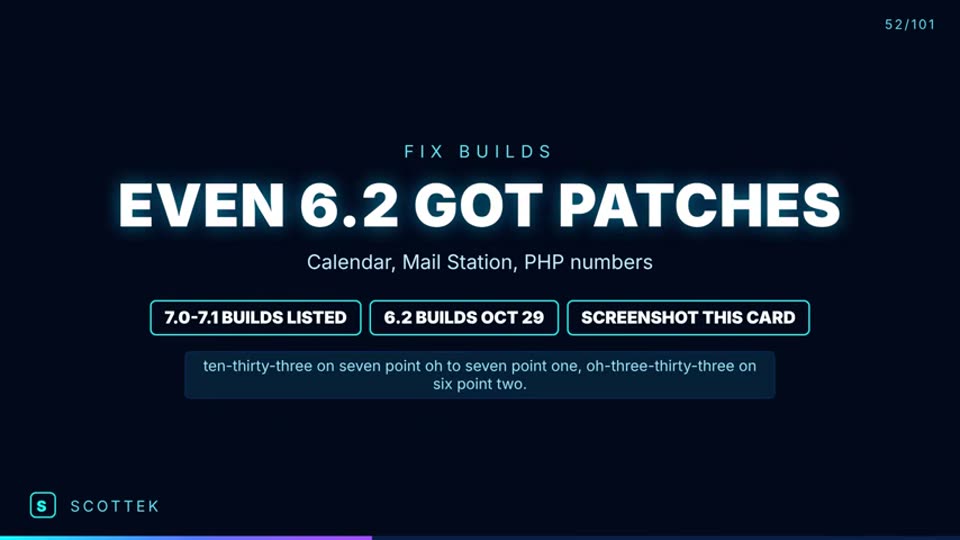
In the video: Synology pushed these fixes onto branches most vendors would abandon, including end-of-life 7.2, 7.1, 7.0, and even 6.2 on October 29. The video reads the fixed builds aloud, and the research notes preserve them verbatim from SA-26:14.
Added from the sources, kept video-attributed: Calendar 3.0.4-21435 on DSM 7.2 and up, 2.4.8-10948 on 7.0 to 7.1, and 2.4.8-0948 on 6.2. Mail Station 30000002.3.19-20333 on 7.2 and up, -10333 on 7.0 to 7.1, -0333 on 6.2. PHP 7.4 at 7.4.33-0131 on 7.2 and up, -0122 on 7.0 to 7.1, -0010 on 6.2. PHP 8.0 at 8.0.30-0122 on 7.2 and up and -0104 on 7.0 to 7.1. Single-track lines are 8.1 at 8.1.34-0120, 8.2 at 8.2.35-0171, 8.3 at 8.3.36-0051, and 8.4 at 8.4.27-0051. DSM targets include 7.4-90075 or newer, 7.3.2-86009-4 or newer, 7.2.2-72806-9 or newer, and 7.2.1-69057-12 or newer. Check every number against SA-26:14 itself before you act, since revisions can move builds.
If you are patching the wider PHP2Shell wave beyond Synology, the Unraid 7.3.4 PHP2Shell guide covers the same CVE pair on that platform, and the Node2Shell patch guide covers the same patch-now discipline for a different runtime.
In the video: DSM first, then PHP, then harden and backups
In the video: on the NAS open Control Panel, then Update and Restore, and install the newest DSM your model is offered, without assuming an older update covers you. Boxes older than 6.2 should first disable every affected package, then bring DSM up to a supported branch before re-enabling anything. Then flip on automatic updates.
In the video: with DSM current, open Package Center and update PHP immediately, since dependent packages restart themselves when the PHP update lands, with one exception: Mail Station needs its manual update done by hand. Then update Calendar and Mail Station plus Web Station, WordPress, Joomla, MediaWiki, phpMyAdmin, KodExplorer, or vtigerCRM if you run them, restart the web-facing packages once, and confirm they come back healthy.
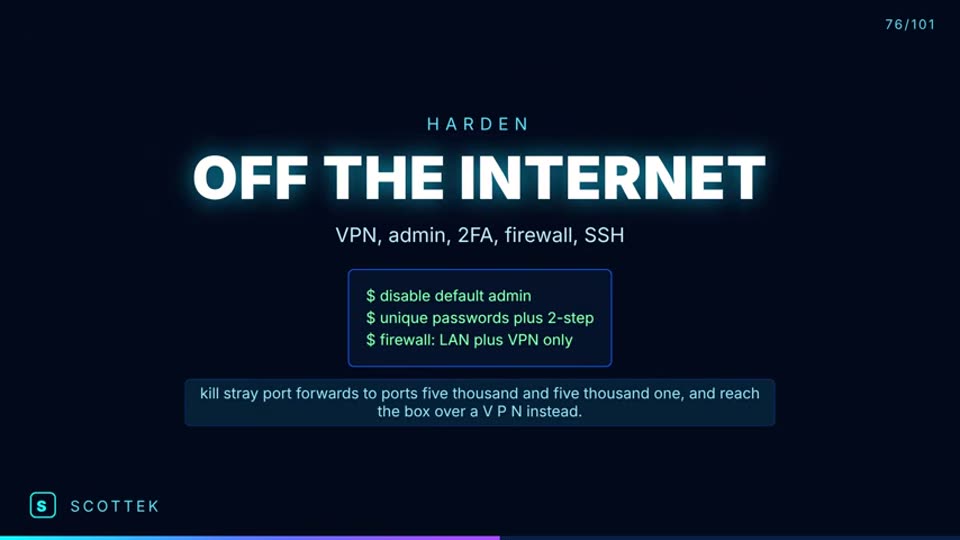
In the video: pull DSM management off the public internet by killing stray port forwards to ports 5000 and 5001 and reaching the box over a VPN instead, expose only services actually used, disable the default admin account with unique strong passwords plus two-step verification, leave SSH off unless actively used, and lock the rest behind the firewall for LAN plus VPN only. Then skim Log Center for odd-hour failed logins and File Station for sudden rename bursts.
Added from the sources: keep a layered backup set because ransomware that lives on the NAS can eat snapshots that live on the NAS, per the NASCompares C3RB3R rundown. Pair Btrfs snapshots or snapshot replication for quick undo with one copy the NAS cannot rewrite, such as an offline USB rotation or an immutable Hyper Backup vault with its own credentials, and test the restore before it is needed. If .L0CK3D files or read-me3.txt appear, pull the network first, preserve logs for support, and restore from the clean offline copy. Updates close entry points and do not decrypt already-locked files.
What is untested and what is next
- The DSM update order, Package Center PHP and package updates, hardening checklist, and backup-restore proof were shown in the video and corroborated against SA-26:14, the C3RB3R statement, and SA-24:20, but none were re-run against live Synology hardware in this package, so all count as untested here.
- Triage rule from the video: internet-exposed management, end-of-life DSM, or any of the ten PHP packages facing the web means patch tonight. Everyone else still does the DSM update, the PHP update, auto-updates on, and a verified offline backup.
- No version drift caveat beyond the advisories: re-check SA-26:14 revision 4 from October 31 for the newest fixed builds before acting, since Synology revised this advisory across October.