Mise Setup Ubuntu: One Manager for Node, Python, and More

This guide is the written companion to the video Mise Setup Ubuntu: One Manager for Node, Python, and More (132s, uploaded 2026-10-20), and it treats the video as the starting point. Claims shown in the recording are labeled In the video, and everything confirmed against the official project docs is labeled Added from the sources. Anything not independently confirmed is marked untested. The auto-subtitles fetched cleanly with no errors, so the transcript used here is the video's own captions, and there is no Prag research folder for this video. The narration is synthetic, and the terminal frames are labeled on screen as output recreated from a real test run.
In the video: mise 2026.10.14 installs on Ubuntu 24.04 as one version manager for Node, Python, and hundreds of other tools — no sudo, no package manager, one official install script, one config file — proved by running Node through mise. Added from the sources: the mise homepage describes the same model, with one mise.toml holding a project's tools, environment variables, and tasks across shell, editor, and CI, plus a registry of more than 1,000 tools by short name. Added from the sources: the releases page lists 2026.10.14 dated 2026-10-18, so the pinned version is real and matches the video's two-days-ago note.
What the video covers
In the video: the run is a prerequisites check, a download-first install pinned to 2026.10.14, shell activation plus reload, a mise doctor health check ending in No problems found, then Node LTS installed globally and verified twice. The test bed is stated as mise 2026.10.14 with Node 24.22.0 LTS on 64-bit Ubuntu 24.04, with mise at about 20 MB and the Node LTS demo at about 30 MB. Those disk figures are repeated here as given and are untested, since no local install was run for this guide.
Added from the sources: the install docs name mise.run as the recommended Linux route and document reproducible installs through MISE_VERSION, with checksum checks against the GitHub release signatures. The homepage shows the per-project pattern of a [tools] table with entries like node = "24", installed with mise install.
Check the machine first
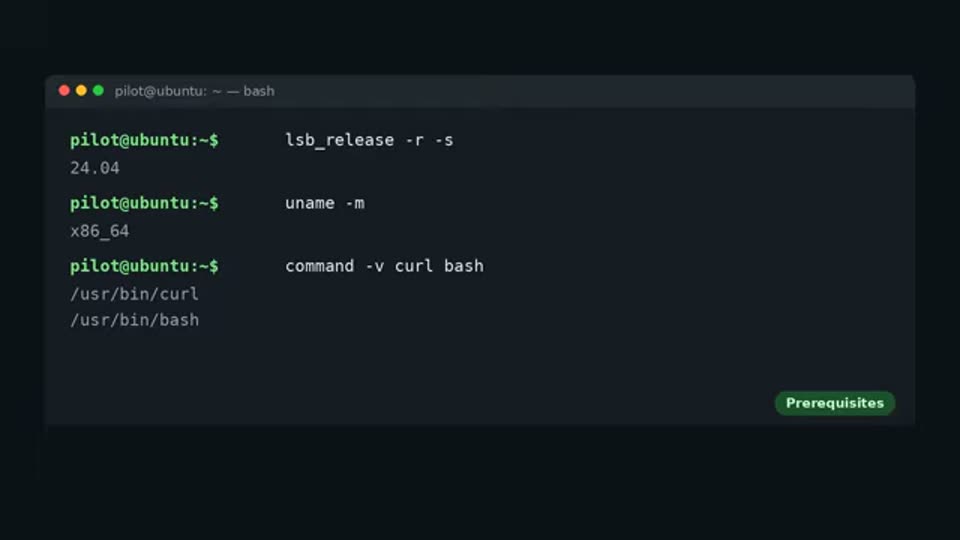
In the video: you need 64-bit Ubuntu 24.04 with curl, bash, and internet, with both tools shipping with the system. Three commands prove readiness, and the still shows exactly these answers: lsb_release -r -s prints 24.04, uname -m prints x86_64, and command -v curl bash prints both paths. The internet requirement is a video claim repeated as given and is untested here.
- Confirm the release with
lsb_release -r -sand expect24.04 - Confirm 64-bit with
uname -mand expectx86_64 - Confirm the tools with
command -v curl bashand expect both paths back
Install mise from the official script
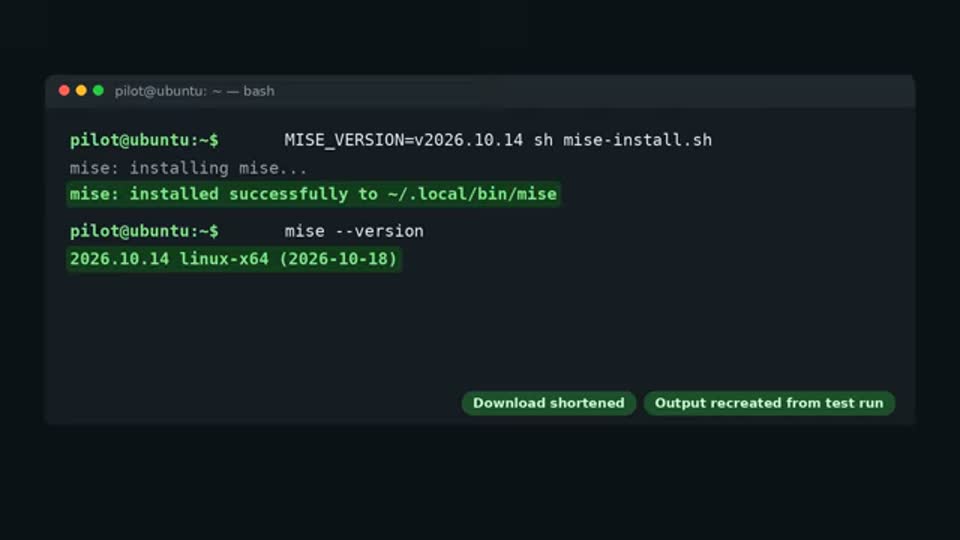
In the video: use the official source only at mise.run — download the installer first, read it, then run it, and never pipe a stranger's script straight into the shell. The install runs with the version pinned and drops the binary into your own bin folder with no root and no package manager. Added from the sources: the install docs give the direct form as curl -fsSL https://mise.run | sh, install to ~/.local/bin/mise by default, and pin a reproducible release with MISE_VERSION, so the video's download-first variant and pinned form match documented behavior.
- Run the downloaded installer pinned with
MISE_VERSION=v2026.10.14 sh mise-install.shas shown in the video - Expect the success line confirming the install into
~/.local/bin/mise - Confirm with
mise --versionand expect2026.10.14 linux-x64 (2026-10-18)as shown - The install docs document the direct
curl -fsSL https://mise.run | shform as an alternative, while the video's download-first habit stays the safer default
Activate the shell and prove it with Node
In the video: append the activation line to bashrc, reload, check the version, then run mise doctor until the last line reads No problems found — then a new terminal just works. The activation and doctor outputs are video claims and are untested here, since the stills cover the install and the Node proof only. Added from the sources: the homepage documents the bash activation as appending eval "$(~/.local/bin/mise activate bash)" to ~/.bashrc, then opening a new shell.
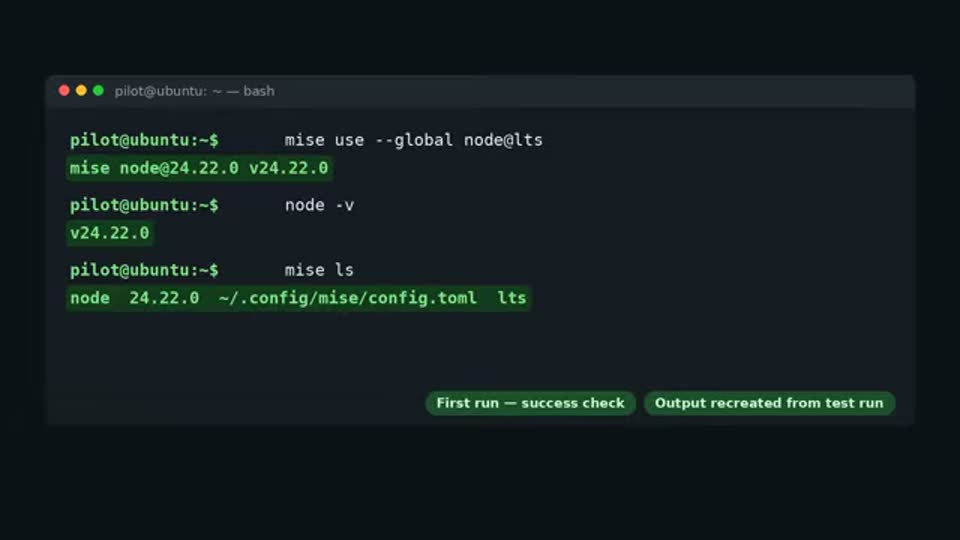
In the video: install Node LTS globally with one command — mise fetches Node 24, installs it in seconds, and records it in the global config. Verify twice: node -v prints the release and mise ls shows Node pinned to that config file. That config file is the whole trick: commit one per project and every machine installs the same tools.
- Install with
mise use --global node@ltsand expect themise node@24.22.0line - Confirm with
node -vand expectv24.22.0 - Confirm the pin with
mise lsand expect thenode 24.22.0 ~/.config/mise/config.toml ltsrow - Keep mise fresh with
mise self-updateand pin per-project tools with amise.tomlfile, per the video's closing notes and the install docs update path — the per-project file flow is a video claim and is untested here
Sources and next steps
- The companion video is the starting point for this guide and all In the video claims above
- The mise homepage owns the one-config-file model, the 1,000-plus tool registry, and the bash activation line
- The install docs own the
mise.runscript, the~/.local/bin/misepath,MISE_VERSIONpinning, checksum behavior, and themise self-updatepath - The releases page owns the 2026.10.14 release dated 2026-10-18
- For the Node LTS line itself, see the companion guide Node.js 24.22.1 on Ubuntu, and for more bash tooling see Install Atuin 18.24.2 on Ubuntu 24.04