Self-Host Matrix: Synapse 1.163.2 Setup in 3 Minutes

What this guide covers
This companion guide starts from the short video Self-Host Matrix: Synapse 1.163.2 Setup and expands it into written steps you can follow at your own pace.
There is no Prag research folder for this video, so this draft is grounded in the video transcript plus the official Synapse installation docs, the matrix-synapse PyPI page, and the v1.163.2 release tag published 23 Oct 2026.
The video installs the reference Matrix homeserver from PyPI inside a virtual environment on Ubuntu 24.04 with no Docker, and anything beyond what the video shows is marked as untested in this guide below.
Prerequisites
You need Ubuntu 24.04 64-bit, Python 3.10 or newer, about 1 GB of free RAM, and port 8008 free.
python3 --versionconfirms the interpreteruname -mconfirms a 64-bit machine, which gets ready-made wheelsfree -hconfirms the memory headroomss -tlnp | grep 8008confirms nothing already holds the port
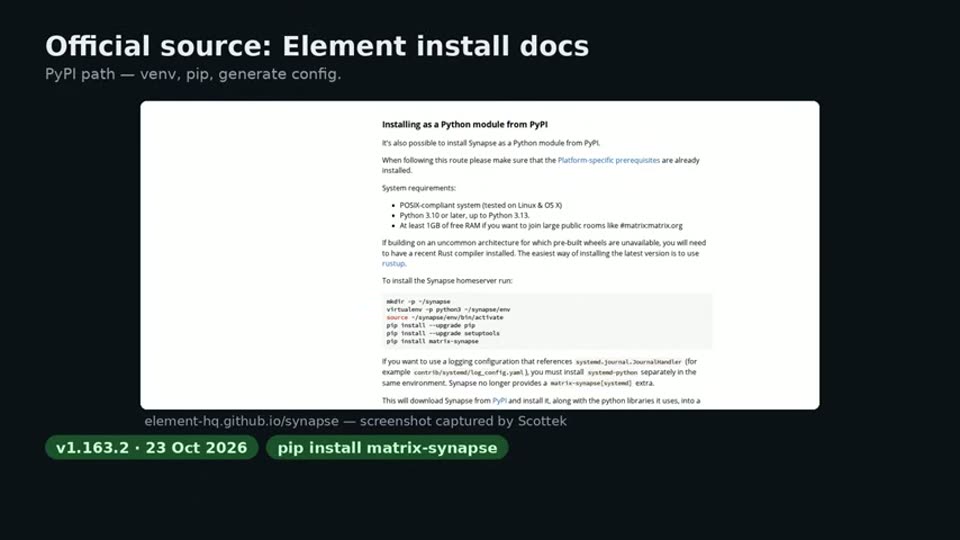
The still shows the official source the video installs from, with the documented prerequisites and the release the video pins.
Install the build prerequisites and Synapse from PyPI
The documented Ubuntu prerequisites are one apt line, then a virtual environment keeps the install isolated.
sudo apt install build-essential python3-dev libffi-dev python3-pip python3-setuptools sqlite3 libssl-dev virtualenv libjpeg-dev libxslt1-devinstalls the documented build dependenciesmkdir -p ~/synapse && python3 -m venv ~/synapse/envmakes the project folder and environment, matching the frame in the videosource ~/synapse/env/bin/activateactivates itpip install --upgrade pipthenpip install --upgrade setuptoolsrefreshes the installerpip install matrix-synapsepulls 1.163.2 from PyPI with ready-made wheels on 64-bit machines
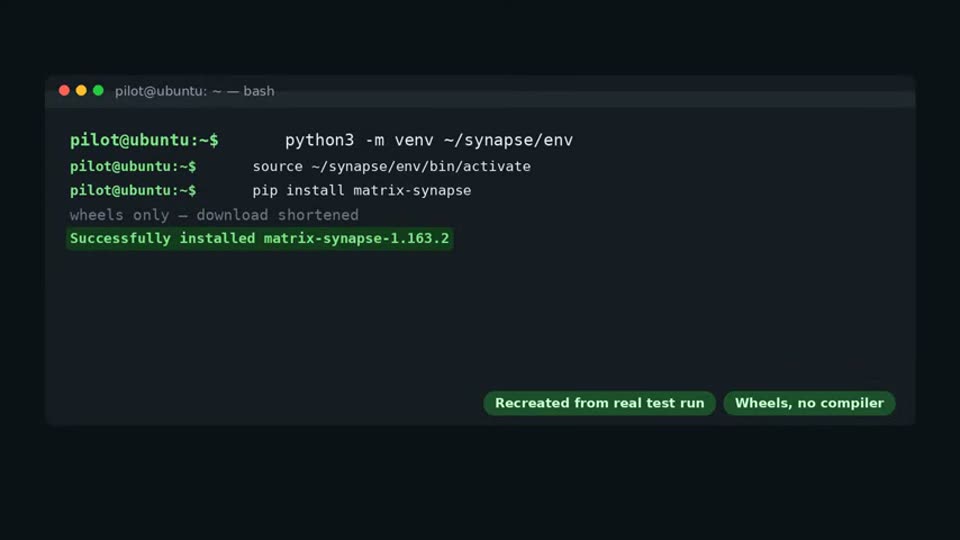
The still shows the virtual environment activation and the pip install matrix-synapse step landing on 1.163.2.
Generate the config, start the server, and create your admin
Pick the server name before you run anything else, because the official docs state it cannot be changed later and it becomes part of every user ID on the server.
cd ~/synapsemoves into the project folderpython -m synapse.app.homeserver --server-name my.domain.name --config-path homeserver.yaml --generate-config --report-stats=nowrites the config and the signing keys- Back up
homeserver.yamland the<server name>.signing.keyfile somewhere safe before going further synctl startstarts the homeserverregister_new_matrix_user http://localhost:8008creates the admin account and answers yes when asked for admin rights
The video uses a local server name for the first install, which is the documented test-configuration approach, and full domains with federation are a later step, untested in this guide.
Prove it works
Two calls confirm the server is alive and your account exists.
curl http://localhost:8008/_matrix/client/versionsanswers with the supported client API versions- Logging in and calling the whoami endpoint returns your full Matrix ID, which is the reply the video shows as proof the server is talking
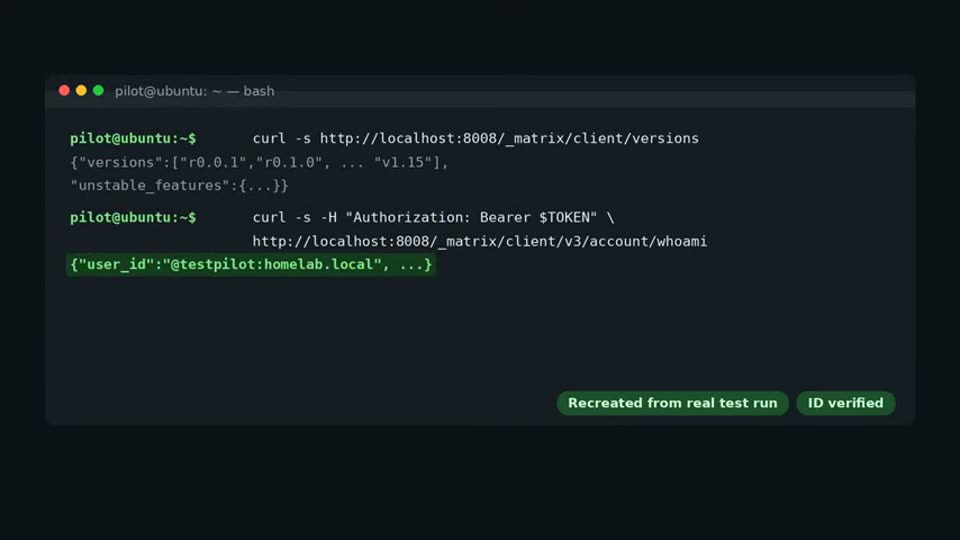
The still shows the verification replies the video uses as proof the install works.
Before you open it to anyone else
The video setup binds to localhost port 8008 over plain HTTP, which is fine for a first local server and not a public deployment.
- Put a reverse proxy with TLS in front before you expose the server or federate
- SQLite is the default database and is fine to start, while the documented path for busy servers is a move to PostgreSQL
- Set up a TURN server before relying on voice and video calls, per the official TURN guide
- Read the official security page before federating
- Keep regular backups of the config and signing keys
Troubleshooting
pipcan use a lot of memory while building, and the docs note that a host with around 512 MB of RAM may run out while installing, so install failing dependencies individually such aspip install twisted- If
synctl startfails, re-run it from~/synapsewith the virtual environment activated, since it reads paths relative to the working directory - Never delete or regenerate the signing key casually, because other servers may have the old key cached and federation will break
Related homelab guides
- Install Gately 0.5.8 on Ubuntu 24.04 for a homelab gateway to put in front of local services
- Traefik 3.7.16 Ubuntu setup for name-based routing with TLS termination
- Self-host push notifications with ntfy 2.34.0 for alerts from your own server