Ollama d3: Local AI That Decides

This is the companion guide to the video Ollama d3: Local AI That Decides — same walkthrough in text form you can copy. The video is the starting point, and anything below that the video did not show comes from the linked Ollama sources, kept visibly separate.
This is a distinct sequel to Ollama 0.40: Terminal AI Judges + MLX Speed, which covered the 0.40 agent stack up to 0.40.4. This guide covers what landed next: the vLLM d3 decision-model family plus the Bolt vision model as the second angle.
Three releases in three days, and only one of them is d3
Some roundups get the timeline wrong, so here is the corrected mapping from the Ollama releases page. v0.40.9 from October 22 put Flint on Linux and Windows with better error reporting, and it did not include d3. v0.40.10 from October 23 contained exactly one thing, the Bolt vision model covered later in this guide. v0.40.11 from October 24 is the one that brought the d3 decision models, alongside speech on the Mac.
Update before anything else. The video's guidance is to update Ollama first, because d3 needs Ollama 0.40.9 or newer with the models themselves arriving alongside 0.40.11, per the d3 library page. The update path itself is sourced, not run for this guide.
What d3 actually is
d3 is a family of decision models from vLLM Semantic Router, and it thinks differently from every chat model on your box. You hand it text, structured state, or a still image, and it answers with a choice, a yes or no, or a score, each with probabilities. It does not write a conversational answer, full stop, per the d3 library page.
Four sizes, one default. d3:2b is the small fast router, the plain d3 tag is the 4B general-use starting point for a 16GB machine, d3:9b takes harder calls, and d3:27b is the accuracy end of the family. Loaded model memory runs 3.62GB, 5.63GB, 10.09GB, and 28.61GB respectively, per the d3 library page Apple Silicon figures, which the video rounds to 3.6, 5.6, 10.1, and 28.6.
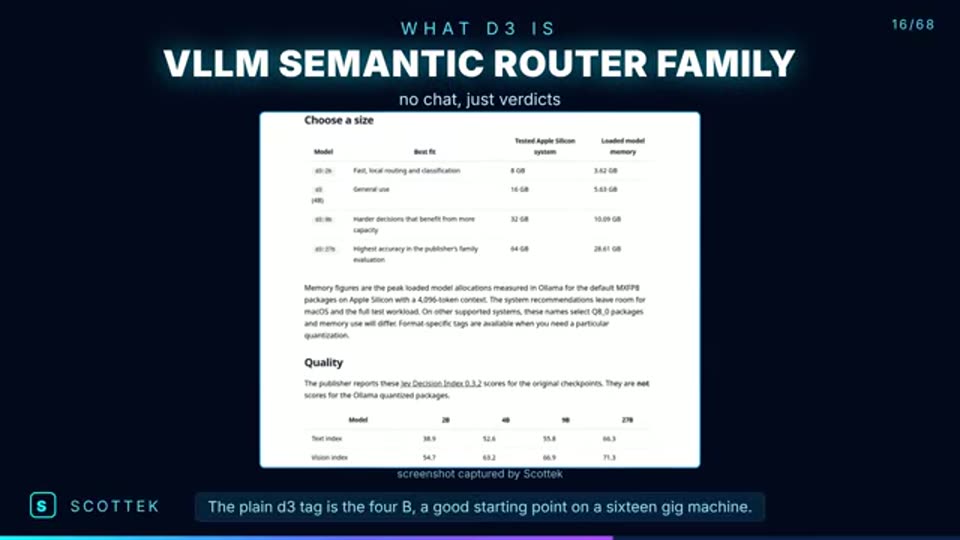
The publisher scores come with a caveat stapled on. The vendor reports Jev Decision Index 0.3.2 scores of 38.9 up to 66.3 on text and 54.7 up to 71.3 on vision, climbing with size. Those are scores for the original checkpoints, not the Ollama quantized packages, and nobody independent has rerun them on the quants — per the d3 library page. Treat them as vendor-reported, and check performance on your own examples before setting thresholds.
Three question types in the terminal
Everything d3 does is one of three question types, per the decision docs. Choice picks one of your labels, 2 to 26 of them, and returns every option's probability. Yes-or-no, called noul, returns the probability that true fits. Score rates your input on 2 to 10 ordered levels and returns the probability-weighted average. The docs' canonical trio reads yes 97%, billing 91%, and Soon 64% 1.2 / 2.
The CLI shapes from the video look like this. A yes-or-no takes one flag, a choice takes one flag per label with a plain description of what each means, and a score takes one flag per level from lowest to highest. Pipe a ticket file in or pass the text right after the model name, reference JSON state fields in backticks, ask several questions at once, or add --format json for the full machine-readable answer.
ollama run d3 "A customer says their card was charged twice." --ask "Is this a billing issue?"— the yes-or-no shape straight from the v0.40.11 notesollama run d3:2bwith piped ticket text and--choiceflags — the small-model routing shape the video runs live on CPUollama run clef ./receipt.png --ask "Is this a restaurant receipt?"— the still-image judging shape from the decision docs
What the video shows on screen is the real 2B model on that machine's CPU, verbatim output, nothing staged. Those exact demo outputs are the video's, not re-run here.
One endpoint for scripts
Prefer HTTP because there is exactly one endpoint. Post to POST /v1/systemone on localhost:11434 with the model, the state, and your questions plus their criteria, per the decision docs. Back comes one JSON object with the winning choice, every probability, a confidence number, and usage — the video's example response cost 174 input tokens and 1 output token, because a verdict is a single token.
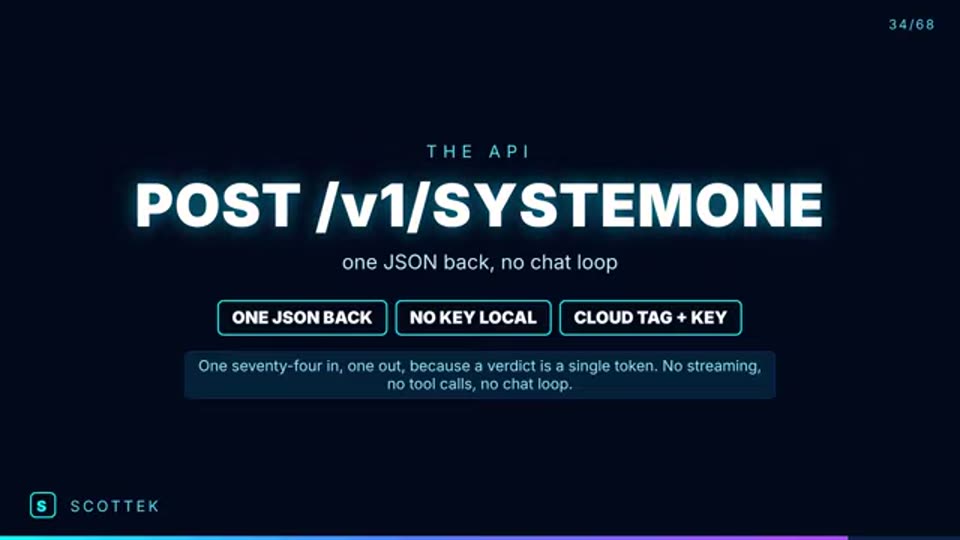
No streaming, no tool calls, no chat loop. Local requests need no API key at all, and the same shape works against a hosted model with a :cloud tag plus your key, per the decision docs. Oversized requests are rejected, never silently truncated, so keep states compact — the local 64KiB input cap figure comes via a third-party summary of the release notes, aired as such, untested in this guide.
Second headline of the week: Nemotron 3.5 Bolt
The v0.40.10 release notes describe Bolt as NVIDIA's smaller Gemma 4 based vision-language model for fast local conversation, image understanding, and tool use, with a 128K-token context window and a DFlash draft for speculative decoding. One command runs it, per the v0.40.10 notes.
ollama run nemotron-3.5-bolt:e4b— the Bolt pull-and-run from the release notes
The pairing the release notes hint at is eyes plus judge, both on your hardware. Bolt looks at the screenshot and d3 decides what to do about it. That pairing is presented as the video's suggested pattern, not a tested pipeline in this guide. Check the model page license terms before adopting Bolt, since NVIDIA licensing applies per the library page.
Where it earns its disk space
The pattern that wins is to let your chat model draft and let d3 decide. Generate with one, gate with the other, and keep a human in the loop until your own calibration says otherwise. A probability is a model output, not a real-world frequency, and high confidence means d3 favors one answer, not that the answer is right — per the d3 library page. Before auto-routing anything, run 200 to 500 of your own labeled items through it and set thresholds where its errors cost less than your time. That calibration workflow is general practice consistent with the docs, not a run performed for this guide.
- A support ticket router that files billing versus technical before a human looks
- A doc triage that scores urgency on a paperless inbox
- A screenshot check that asks whether an image shows what you think it shows
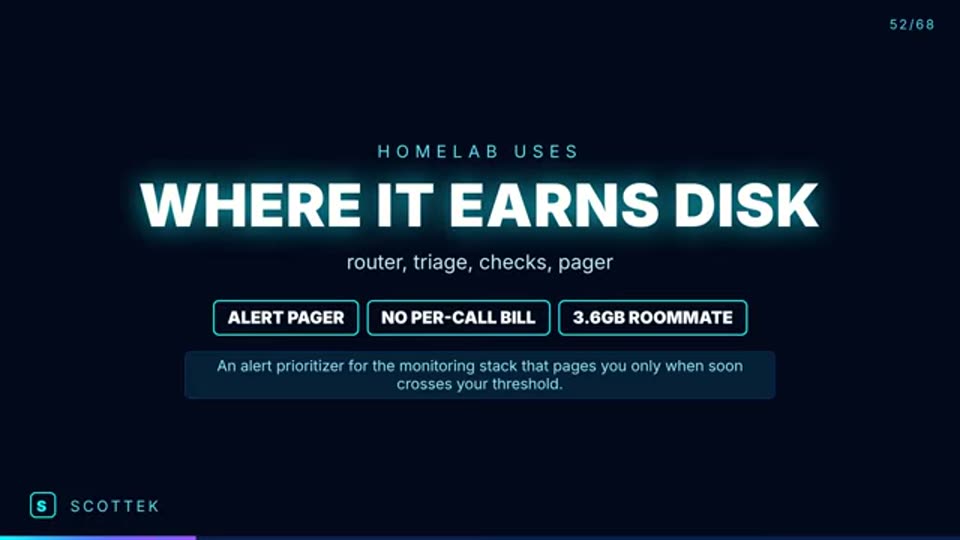
- An alert prioritizer on a monitoring stack that pages only when soon crosses your threshold, with no per-call bill and no data leaving the LAN
The 2B sits at 3.6GB loaded, so it lives next to your chat model instead of replacing it. The video's verdict is 2B for an 8GB box or as a sidecar, the default 4B at 16GB for general use, 9B at 32GB and up for harder calls, and 27B for the data center or the big Mac.
Honest limits before the verdict
- Still images only, with no video and no box or track decisions, per the d3 library page
- Your criteria do the heavy lifting, so vague labels get mushy probabilities — write short distinct descriptions, especially where an action fires
- Oversized states fail instead of truncating, so keep inputs compact
- The week's other feature, local speech, is Mac-only for now via ollama run phonon, and it gets its own guide when Linux and Windows land — per the v0.40.11 notes
- d3 is the decider, not the talker. Chat models talk, decision models conclude, and now both run on your box
Related guides
- Ollama 0.40: Terminal AI Judges + MLX Speed — the direct predecessor covering the 0.40 agent stack, this guide is its d3 sequel
- vLLM 0.32: Serve Local AI Across Your Homelab — the vLLM serving side behind the Semantic Router family d3 comes from
- Run AI Locally: Ollama + Qwen3 on One GPU — single-GPU Ollama setup that pairs with a small d3 sidecar